GTA 6 Phone Guide: How to Use It, Every App and Controls
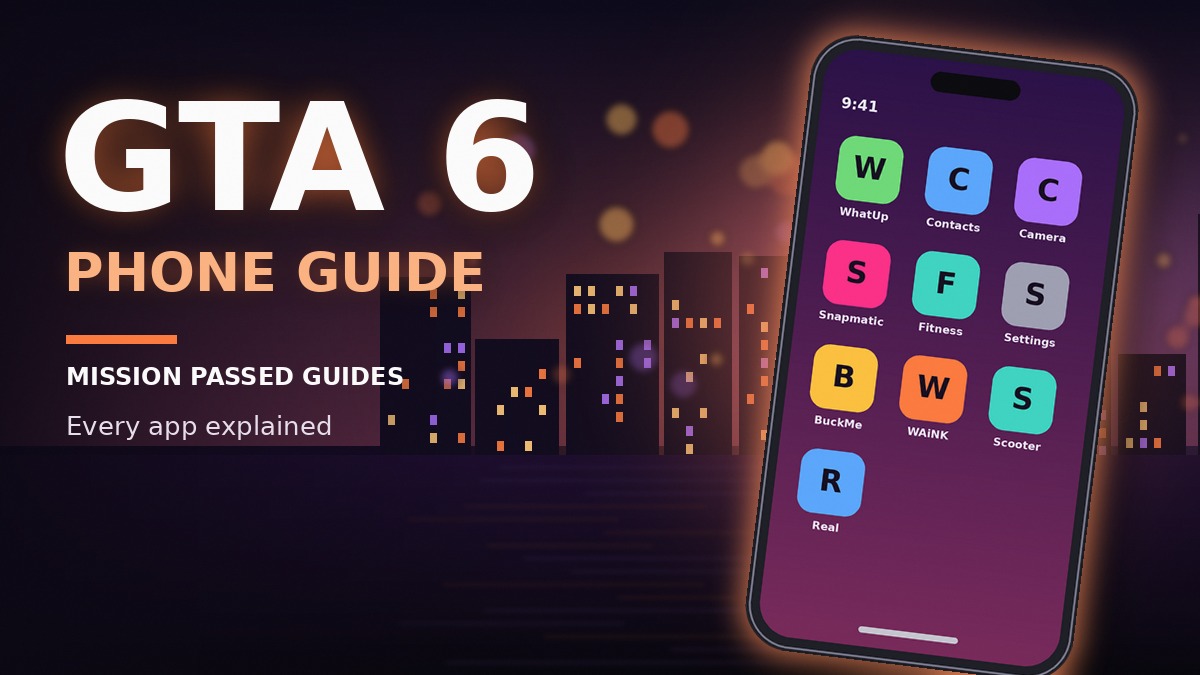
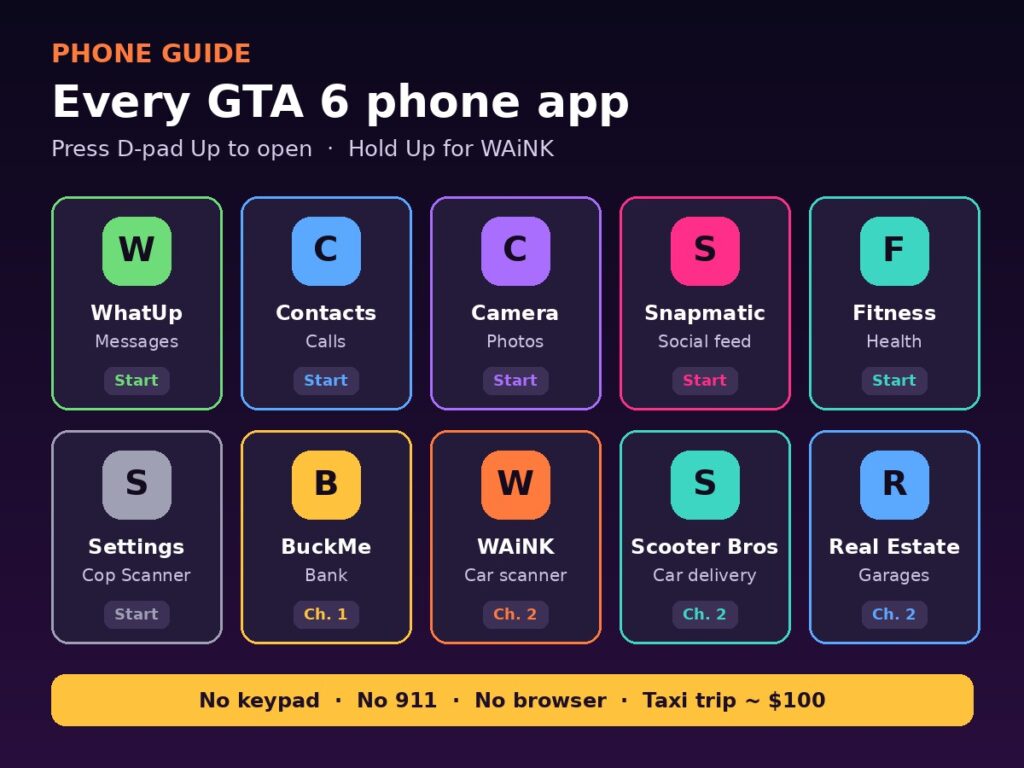
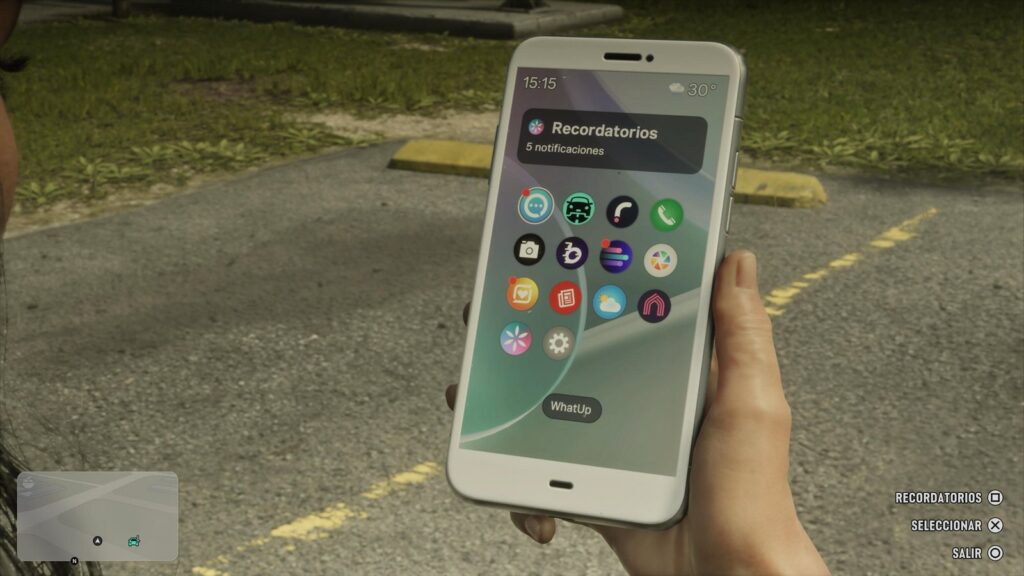
Quick answer: To use the GTA 6 phone, press Up on the D-pad (PS5 or Xbox), move between apps with the D-pad and press X / A to open one. Hold Up instead to jump straight into WAiNK, the car scanner. You start with WhatUp, Contacts, Camera, Gallery, Snapmatic, Fitness, News, Weather and Settings; the story adds BuckMe (banking), WAiNK, Scooter Bros (car delivery) and Vice City Real Estate (garages). There’s no keypad, no 911 and no web browser.
Last updated: November 20, 2026. Based on several launch-day guides, cross-checked against each other. Unlock points are given by chapter to avoid story spoilers. Our crew is checking each app in-game.
GTA 6 Phone Controls
| Action | PS5 | Xbox Series X|S |
|---|---|---|
| Open the phone | Press D-pad Up | Press D-pad Up |
| Open WAiNK directly | Hold D-pad Up | Hold D-pad Up |
| Move between apps | D-pad | D-pad |
| Open an app | X | A |
| See your reminders (home screen) | Square | X |
The phone works while you drive, so you can call a taxi or order a car delivery without stopping. If you prefer, you can switch the phone to first-person view in Settings → Camera → Comfort → Phone Display.
Every GTA 6 Phone App and When It Unlocks
| App | What it does | When you get it |
|---|---|---|
| WhatUp | Text messages from story and side characters | Start |
| Contacts | The only way to make calls; names are added as you meet people | Start |
| Camera | Photos and selfies | Start |
| Gallery | Stores your photos | Start |
| Snapmatic | Leonida’s social feed: posts, videos, comments and profiles | Start |
| Fitness | Tracks food, workouts and sleep | Start |
| News | In-world headlines | Start |
| Weather | Leonida forecast | Start |
| Settings | Phone options, and later the Cop Scanner | Start |
| BuckMe | Bank account; transaction limits rise as the story goes on | Late in Chapter 1 |
| WAiNK | Scans cars: locks, tracker, value and registration cost | Chapter 2 |
| Scooter Bros | Manages your registered cars and delivers one to you for a fee | Chapter 2 |
| Vice City Real Estate | Buys garages for your registered cars | Chapter 2 |
WAiNK: Scan Before You Steal
WAiNK is the most useful app on the phone. Point it at a parked car and it shows the lock type, the tracker, the resale value and the registration cost, so you know whether a car is worth stealing and which tools you’ll need before you touch it. Some guides report it can also scan landmarks for challenges.
- Shortcut: hold D-pad Up to open WAiNK instantly.
- Always scan first: a car with an active tracker brings the police straight to you. See our wanted level guide.
- Collectible: there are 89 WAiNK scan locations to find. See our collectibles guide.
Which cars to look for and how theft works is covered in our GTA 6 cars guide.
BuckMe: Keep Your Money Safe
BuckMe is the in-game bank. Cash you carry can be lost if you’re busted or killed, but money in BuckMe is safe. It unlocks late in Chapter 1, and its transaction limits go up as the story progresses. Until then, use the cash stash at Jason’s first home. More in our GTA 6 money guide.
Scooter Bros and Vice City Real Estate
- Scooter Bros delivers one of your registered cars to wherever you are, for a fee. Handy when your car is on the other side of the map.
- Vice City Real Estate is where you buy garages to store registered cars. Prices and every location are in our GTA 6 properties guide.
How to Call a Taxi (Fast Travel)
GTA 6 has no instant map fast travel. Instead, you call a ride and skip the drive. Guides describe this in two ways: some point to a ride app (RydeMe), and others to calling Paradise Taxi from Contacts, with a trip costing around $100. Either way, choose your destination and skip the journey. We’ll confirm exactly how it appears on the phone once our crew has tested it.
Useful Contacts
- Joey (Coastal Auto Care): after a specific story mission, calling Joey gets your car repaired and delivered for free. Check this before paying for repairs.
- Paradise Taxi: calls a cab to a chosen destination.
- Your partner: you can message Jason or Lucia from the partner menu without scrolling through the phone. See our Jason or Lucia guide.
The Cop Scanner
Later in the story, a character installs a Cop Scanner on your phone (it appears in Settings). It plays police radio and warns you when units are dispatched near you, which is very useful during robberies. See our robberies guide.
Camera, Selfies and Photo Studio
- Camera: line up the shot with the on-screen grid and press the shutter. Turn the camera around for a selfie. At night it may use a flashlight.
- Gallery: stores your photos, but only a limited number, with no upload or export.
- Photo Studio: the real photo mode. Open it from the pause menu. It freezes the scene and lets you adjust exposure, contrast and shadows, add lights and stack filters.
- Careful: officers may step in if you photograph an arrest.
What the GTA 6 Phone Can’t Do
- No keypad: you can’t dial numbers. Calls only go through Contacts.
- No 911: you can’t call the police, an ambulance or the fire department.
- No web browser.
- Cheats: they’re entered through the phone, but only after you finish the story. See our GTA 6 cheats list.
3 Common Phone Mistakes
- Looking for a keypad to call 911. There isn’t one.
- Paying for repairs before checking Joey. Once unlocked, he repairs and delivers your car for free.
- Stealing a car without scanning it. Open WAiNK first to check the tracker and value.
FAQ: GTA 6 Phone
How do you open the phone in GTA 6?
Press Up on the D-pad on PS5 or Xbox. Hold Up to open WAiNK directly.
Can you call 911 in GTA 6?
No. There’s no keypad and no emergency calls; you can only call people in your Contacts.
When do you get WAiNK in GTA 6?
During Chapter 2 of the story.
How do you fast travel in GTA 6?
By calling a ride from your phone. A taxi trip costs around $100.
Is there a bank app in GTA 6?
Yes, BuckMe. It unlocks late in Chapter 1 and keeps your money safe if you’re busted or killed.
Sources: launch-day phone guides from OutputLag, Beebom, iGeeksBlog, The Click, Game8 and Bloxodes, cross-checked against each other. Where guides differ (such as the taxi app), we say so.