GTA 6 How to Save: Manual Saves, Autosave and All 15 Slots Explained
Quick answer: To save in GTA 6, press Options (PS5) or Menu (Xbox Series X|S) while in free roam, open the Game tab, choose Save Game and pick one of the 15 manual save slots. You don’t need a bed or a safehouse. GTA 6 also keeps one separate autosave that updates after missions. You can’t save during a mission or during the Prologue, and there’s no mission replay, so your manual saves are the only way to go back.
Last updated: November 22, 2026. Based on the released game as documented by launch-day guides, cross-checked against each other. Where guides disagree, we mark it as Reported or Disputed.
How to Save in GTA 6 (PS5 and Xbox)
Saving in GTA 6 is simpler than in GTA 5. There’s no phone Quick Save and no safehouse bed: everything is done from the pause menu, anywhere in the open world.
- Make sure you’re in free roam, not in a mission.
- Press Options on PS5 or Menu on Xbox Series X|S to pause. (On PS5, the touchpad opens the map, not the pause menu.)
- Open the Game tab. It holds Save Game, Load Game and New Game.
- Select Save Game.
- Pick an empty slot to create a new save, or choose an old one to overwrite it. The game asks “Overwrite saved game?” and the old file is gone for good once you confirm.
- Wait for the save icon to finish before you close the game or turn off the console.
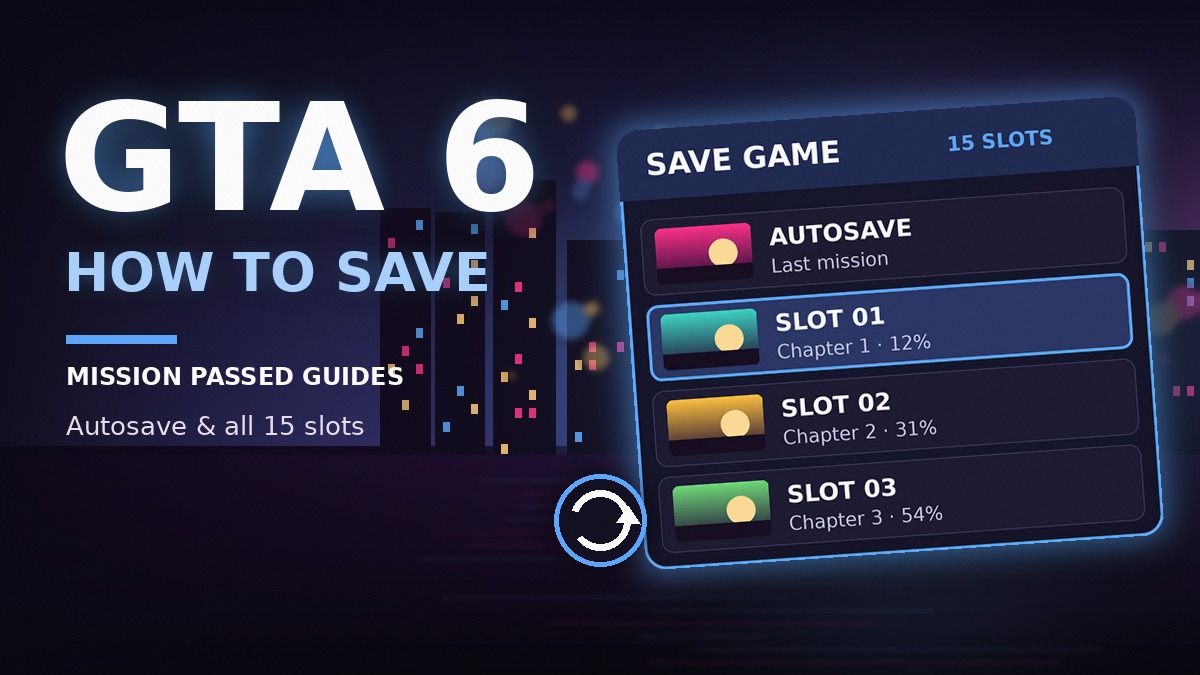
Each slot shows the last mission, your completion percentage, the date and time, and a small screenshot, so it’s easy to tell your saves apart.
When Does Saving Unlock in GTA 6?
Not right away. Saving is locked for the whole Prologue, so if the game crashes or you quit during the opening, you’ll have to play it again.
✅ Reported: manual saving opens once Jason reaches his house at the marina, right after Brian’s first mission. From then on, Save Game shows up in the pause menu. Make your first manual save as soon as it appears. Our GTA 6 first steps guide explains why a clean early save is worth having.
How Autosave Works in GTA 6
GTA 6 has one dedicated autosave slot. It’s separate from your 15 manual slots, so it never overwrites them, but each new autosave replaces the previous one. It can’t be turned off: there’s no autosave option in Settings.
| Manual saves | Autosave | |
|---|---|---|
| Slots | 15 | 1 |
| Who creates it | You, from the pause menu | The game |
| When | Any time in free roam | After missions (see below) |
| How long it lasts | Until you overwrite or delete it | Until the next autosave |
| Good for | Going back to a chapter or mission | Recovering from a crash |
✅ Verified: the game autosaves after you finish a mission, and our crew confirmed on PS5 that it also autosaves when you’re killed or arrested. Free-roam progress in between isn’t covered, so if you just spent an hour on side activities or bought something expensive, save manually.
The Autosave Trap: Loading an Old Save
This is the mistake that costs players hours. ✅ Reported: when you load an older manual save, the game overwrites your autosave too. If your latest progress only existed in the autosave, it’s gone.
The rule: before you load any old save, make a manual save of where you are now. That way you can always come back.
Why Can’t I Save in GTA 6?
If Save Game is greyed out, it’s almost always one of these:
| Reason | What to do |
|---|---|
| You’re in a mission | Finish it, or quit it from the pause menu, then save in free roam. During missions the menu shows Retry Checkpoint and Restart Mission instead. |
| You’re still in the Prologue | Keep playing. Saving opens after Brian’s first mission. |
| You used a cheat | Quit to the main menu and load a save. Then don’t enter cheats until you’ve saved. |
| An activity is running | Finish the side activity or job you’re in, then try again. |
⚠️ Disputed: cheats and saving. Guides agree you shouldn’t save after using cheats, but not on the details. Some report that saving stays blocked for the rest of that session, others that it’s only blocked while a cheat is active. Cheats also disable trophies, and they only unlock after you finish the story. Full details in our GTA 6 cheats guide.
Is There Mission Replay in GTA 6?
No. Unlike GTA 5, GTA 6 has no mission replay menu, no chapter select and no New Game+ at launch, and finishing the story doesn’t unlock them. Rockstar hasn’t said whether it will add replays in an update.
- While you’re in a mission, you can still use Retry Checkpoint or Restart Mission from the pause menu.
- Once a mission is done, the only way to play it again is to load a manual save from before it. Without one, you’d need a new playthrough.
With 91 story missions across 5 chapters, that makes your 15 slots precious. Here’s how to use them.
The Best Way to Use Your 15 Save Slots
Treat your slots as checkpoints instead of overwriting the same file all the time. This plan lets you go back to any chapter, recover from a bad save and still keep a clean file for trophies:
| Slots | Use | Overwrite? |
|---|---|---|
| 1–5 | Start of each chapter (1 to 5) | Never |
| 6–10 | End of each chapter | Never |
| 11–13 | Rotating saves: use the oldest one after each mission | Yes, in turn |
| 14 | Before big story decisions or missions you’ll want to replay | When needed |
| 15 | Clean save before you try cheats | Never |
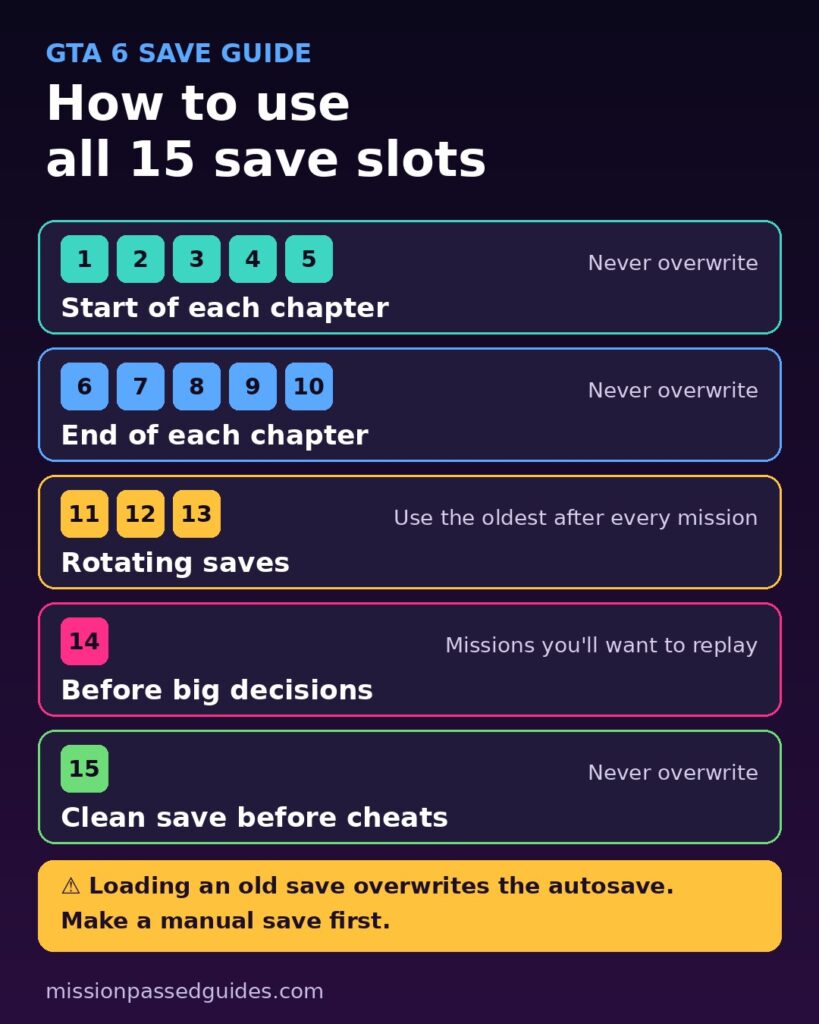
The three rotating saves are the key. If one file is bad (a soft-lock, a mission bug or a choice you regret), you lose one mission of progress instead of five hours.
How to Load or Delete a Save
- Pause and open the Game tab.
- Choose Load Game. You’ll see your manual saves and the autosave in one list.
- Select a file and confirm. Anything you did after that save is lost, so make a manual save first (see the autosave trap above).
You can also delete old saves from the same screen to free up slots.
Cloud Saves and Cross-Save
- PS5: saves back up to the cloud with any PlayStation Plus tier, if auto-upload is on. If a local save won’t load, you can download the cloud copy.
- Xbox Series X|S: saves sync to your Microsoft account automatically when you’re online. No paid membership needed.
- PS5 ↔ Xbox: Rockstar hasn’t announced cross-save, so your progress stays on the console you started on.
- PC: GTA 6 isn’t on PC yet. See our GTA 6 PC release date page for the latest.
- GTA 5 and GTA Online: nothing carries over. GTA 6 starts fresh.
When You Should Always Save Manually
- Before buying a garage or anything expensive. Prices are in our GTA 6 properties guide.
- Before a robbery or a risky job. If it goes wrong, reload instead of losing the loot. See the GTA 6 robberies guide.
- Before leaving Chapter 1. Brian and Donnie only buy loot in Key Lento, so sell first. Details in our GTA 6 fence locations guide.
- Before missable collectibles and timed activities. Some optional activities are reported to expire if you wait too long. Check the collectibles guide for what you can miss.
- Before entering cheats, in a slot you never overwrite.
- After long free-roam sessions, because the autosave mainly covers missions.
For more early-game advice, read our 15 GTA 6 beginner tips.
FAQ: Saving in GTA 6
Does GTA 6 have autosave?
Yes. GTA 6 has one autosave slot that updates after you finish a mission. It’s separate from your manual saves and is replaced every time it triggers.
How many save slots does GTA 6 have?
15 manual save slots plus one separate autosave slot, the same number as GTA 5 and Red Dead Redemption 2.
Can you save during a mission in GTA 6?
No. Save Game is greyed out during missions. You can retry from a checkpoint or restart the mission, but to save you have to finish or quit it and return to free roam.
Do you need a safehouse to save in GTA 6?
No. You can save anywhere in free roam from the pause menu. There’s no bed save and no phone Quick Save like in GTA 5.
Can you replay missions in GTA 6?
Not from a menu. There’s no mission replay at launch, so the only way to replay a finished mission is to load a manual save made before it.
Why is Save Game greyed out in GTA 6?
You’re probably in a mission, still in the Prologue, or you’ve used a cheat. Finish the mission, keep playing past the Prologue, or reload a save after using cheats.